

Guide to Captive Portal Advertising for Nassau Port
This page outlines the creative assets and setup information required for advertising on the Nassau Port captive portal. A well-crafted portal not only provides Wi-Fi access but also gives you a high-visibility space to promote your brand, collect consented user data, and drive engagement before users get online.
What is Captive Portal Advertising
A captive portal is the page users see when they connect to Wi-Fi and before they access the internet. It is a touchpoint where you can display your branding, promotional content, offers, surveys, or calls to action. Businesses use this space to build awareness, capture leads, and deliver messages at a moment when engagement is high.
The portal generally has three pages:
Landing Page: Optional welcome page shown as soon as users join the network. Great for branding and call-to-action messaging.
Account Creation Page: Users enter details (email, preferences). Ideal space for surveys, offers, or permission opt-ins.
Success Page: Shown after users complete login. Use this for final offers, partner messaging, or next steps.
Examples of these are shown below:


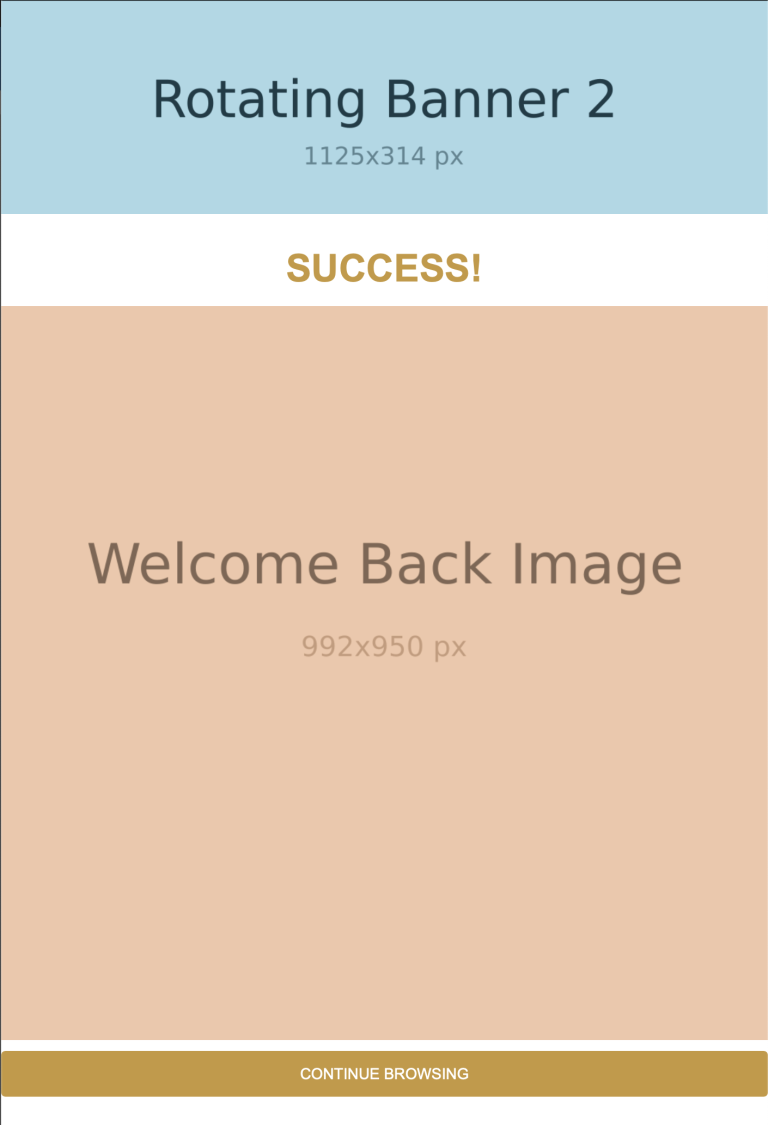
What we need from you
Primary Image (Static Visual/Primary visual)
Requirements
- Recommended size: 992 × 1366 pixels
- Format: JPG or PNG
Delivery options
- Email (as an attachment)
Promotional Video
The promotional video is the most prominent element shown to users during the Wi-Fi login journey. Strong branding and a clear call-to-action in the opening seconds is recommended.
- Length: 10–15 seconds – To keep user engagement high, we recommend a concise video that quickly conveys your message.
- Format: At present we can only use YouTube links. We’re unable to upload YouTube videos on your behalf due to licensing constraints, and we’re exploring support for additional formats in a future update.
- Orientation: Landscape (16:9)
- Recommended resolution: 1920 × 1080
- File size: Ideally under 20–25 MB for fast loading on mobile networks
- Email (Just add the link to the body of the email)
Captive Portal Banner (Static Visual)
This banner is used either alongside the primary image or video. We can have multiple banners that rotate on a set time to provide variety to users.
- Recommended size: 1125 × 314 pixels
- Format: JPG or PNG
- Orientation: Landscape
- Final headline text
- Preferred call-to-action (CTA) wording
- Any specific branding elements (e.g., logos, colors)
- Email (as an attachment)
Survey Questions (Optional but Recommended)
Short surveys can significantly improve engagement while capturing valuable insight. We recommend no more than 3 questions to maintain a smooth login experience, but we can do up to 5 if needed.
Suggested structure
Research question
Example: “How interested are you in attending Formula 1 events?”
Insight question
Example: “Have you attended an F1 event before?” “Where would you most likely travel from?”Call-to-action / consent
Example: “Can we contact you to discuss tickets for the Miami F1 in 2026?”
Please let us know
- The exact wording for each question
- Any specific data points you would like us to capture
Please note
- We currently support multiple-choice, free text, and dropdown(multiple answers) styled question types.
Delivery options
Secondary Image (Optional)
Any official imagery you would like included in the portal experience. for example a different image on the success/login page, than on the landing page.
Usage
- Supporting visuals within the portal
- Backup visuals where video cannot be displayed
Requirements
- Minimum resolution: 992 × 950
- Format: JPG or PNG
Delivery options
- Email (as an attachment)
Link Destinations & Tracking
To ensure accurate measurement and attribution, please provide:
- Final destination URL(s) – where users will be directed after engaging with the portal
- We can provide tracking stats via the Connect dashboard, but if you have specific UTM parameters or tracking codes to be included in the URLs, please share those as well.
Final Notes
- All assets should be pre-approved by all parties to avoid delays.
- If you are unsure about formats or creative direction, we are happy to review drafts before final submission.
- Once all assets are received, we will proceed with configuration, testing, and deployment.